Guide · Security
Got an Apple Spyware Warning? How to Check It's Real and What to Do Next
9 November 2026 · Nickel Choi
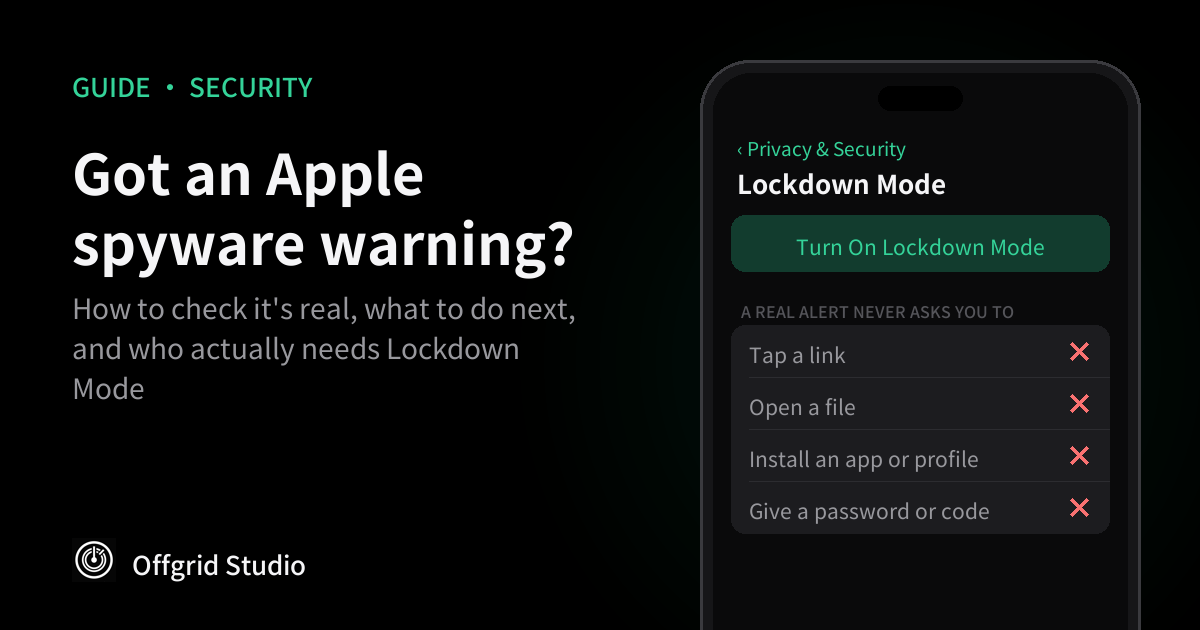
Short answer: don't tap anything in the message. Type account.apple.com into your browser, sign in, and look for a threat notification banner at the top of the page. If it's there, the warning is genuine: assume the phone may be compromised, get expert help before you erase anything, update iOS and turn on Lockdown Mode. If it isn't there, treat the message as a scam. Most people will never get a real one.
What happened
Around 29 October, Apple sent a new round of spyware warnings. TechCrunch reports, from a notice one recipient received, that this batch went to users in 99 countries. Among them were members of the German parliament, the Bundestag.
- Germany's federal cybersecurity office, the BSI, confirmed that MPs and other public figures had received warnings. It said recipients should assume their device may be compromised, and MacDailyNews reports it asked them to contact the agency directly.
- The BSI also said it doesn't yet know whether the alerts reflect successful hacks or only attempts. No compromised phone has been publicly confirmed.
- Nobody has said who is behind it or which spyware was used. Apple doesn't attribute these attacks to any government or company.
- Officials haven't said how many people were warned, or whether Chancellor Friedrich Merz was one of them.
Days later, on 3 November, a security firm posted a video that it says shows an iPhone being hacked with Lockdown Mode switched on. That's Apple's strongest protection, and the one its warnings recommend. There's more on that below.
What the warning actually means
Apple's support page says these alerts go to people singled out by mercenary spyware attacks, usually because of who they are or what they do: often journalists, activists, politicians and diplomats. Apple has sent them several times a year since 2021, to people in more than 150 countries in total.
Mercenary spyware is sold by private companies, mostly to governments. Pegasus, from NSO Group, is the best known. It costs a great deal to use and is aimed at specific people, which is why Apple says nearly all users will never be targeted this way.
Apple calls the alerts high-confidence, but says its investigations can never be absolutely certain. It also won't tell you what triggered one, or whether the attack worked.
How to tell a real warning from a scam
A frightening security alert is also a perfect phishing message, so check before you react. According to Apple, a genuine notification reaches you in these ways:
- An Apple Threat Notification alert on your iPhone's Lock Screen and in Settings.
- An email to the addresses on your Apple Account, sent from threat-notifications@email.apple.com.
- A banner at the top of your account page at account.apple.com.
The banner is the check that counts, because an email's sender can be faked and a web page can be made to look like a system alert.
- Don't use anything in the message. No links, no buttons, no phone numbers.
- Open a browser and type account.apple.com yourself. Sign in as usual.
- Look at the top of the page. Apple says a real notification will show plainly there. If there's no banner, treat the message as a scam and delete it.
One rule catches most fakes. Apple says real alerts never ask you to click links, open files, install apps or profiles, or give your Apple Account password or a verification code, by email or on the phone.
If the warning is real
- Assume the phone may be compromised. That's the BSI's advice. Spyware of this kind can read messages, including ones in encrypted apps, once it's on the device. Move sensitive conversations to a different phone or computer.
- Get expert help first. Apple strongly suggests using specialists such as the Digital Security Helpline at Access Now, a nonprofit that responds around the clock. If your job is the likely reason, tell your organisation's security team too, and in Germany the BSI has asked recipients to get in touch.
- Don't erase the phone before you've asked. This one is our advice rather than Apple's: a reset can remove the traces an investigator needs to find out what happened.
- Update iOS. Go to Settings, General, Software Update. Apple's security page lists iOS 27.2, released on 26 October, as the latest version. Updating closes known holes, but it doesn't prove the phone is clean.
- Turn on Lockdown Mode, as described below. Remember it's separate on each device, so do your iPad and Mac as well.
How to turn on Lockdown Mode, and what it breaks
It's available on iOS 16 or later. Go to Settings, Privacy & Security, scroll down and tap Lockdown Mode. Tap Turn On Lockdown Mode, then Turn On & Restart, and enter your passcode. Update first, because Apple says the latest software gives you the complete set of protections.
Expect these changes:
- Messages: most attachment types are blocked except certain images, video and audio. Links and link previews stop working.
- Web browsing: some complex web technologies are blocked, so pages can load slowly or look wrong.
- FaceTime: incoming calls are blocked unless you've called that person in the past 30 days.
- Photos: location is removed when you share, and Shared Albums disappear.
- Connections: the phone must be unlocked to connect to a computer or accessory. It won't automatically join non-secure Wi-Fi, and 2G and 3G are turned off.
- Other: configuration profiles can't be installed, Game Center is disabled, and invitations such as Home are blocked unless you've invited that person before.
Phone calls and plain text messages keep working, and so do emergency features such as SOS. If a site or app you rely on stops working, you can exclude it under Settings, Privacy & Security, Lockdown Mode, Customize Web Sites. On iOS 27 there's also Customize Contacts for trusted people. Apple warns that every exclusion weakens the protection.
Do you need it? Apple describes it as "an optional, extreme protection" for the very few people who might be personally targeted. If you're a journalist, activist, politician, diplomat, or you've had a genuine warning, it's worth the inconvenience. For most people it isn't: you'd lose useful features to defend against an attack you're very unlikely to face.
Has Lockdown Mode really been beaten?
Possibly, but very little can be checked yet. Privacy Guides reports that researchers at a security firm called Calif posted a video on 3 November. It shows an iPhone 18 Pro with Lockdown Mode on being compromised by a malicious PDF sent over AirDrop, and the malware surviving an update to iOS 27.2.
Calif hasn't published how it works, and says details will follow once Apple has had time to release a patch. The report doesn't say whether the attacker needed the phone unlocked, how close they had to be, or whether the victim had to accept the file. We haven't been able to verify the demo, and we found no reports of the method being used on real targets.
Before the demo, in March, Apple told TechCrunch it wasn't aware of any successful mercenary spyware attack against a device in Lockdown Mode. So the sensible reading is that Lockdown Mode makes an attack much harder rather than impossible. If you're at real risk, keep it on. Our own suggestion on top of that: set AirDrop to Contacts Only or Receiving Off under Settings, General, AirDrop, and don't open files you weren't expecting. That reduces your exposure, but nobody can say yet whether it stops this particular attack.
If you never get a warning
You're almost certainly not a spyware target, but criminals and phone thieves are a bigger risk for most people. From Apple's list of basics:
- Keep iOS up to date.
- Turn on Stolen Device Protection, under Settings, Face ID & Passcode.
- Use two-factor authentication and a strong password for your Apple Account.
Be sceptical of "spyware scanner" apps. An App Store app can't look inside other apps or the system, so it can't do what a forensic check does, and a real warning never asks you to install one.
A limit worth stating, since we build on-device apps: keeping data on your phone protects it from servers, breaches and companies selling it, as in our guide to apps selling your location. It doesn't help if the phone itself has been taken over, because spyware can read whatever the phone can.
Frequently asked questions
What is an Apple threat notification?
An alert Apple sends when it believes someone has been individually targeted by mercenary spyware, the expensive kind sold to governments. It appears on the iPhone's Lock Screen and in Settings, by email, and as a banner at account.apple.com.
How do I know an Apple spyware warning is real?
Type account.apple.com into your browser yourself and sign in. Apple says a genuine notification is clearly visible at the top of that page. A real alert never asks you to click a link, open a file, install an app or profile, or give a password or verification code.
Does a warning mean my iPhone has been hacked?
Not necessarily. Apple calls these high-confidence alerts but says it can't be absolutely certain, and it doesn't confirm whether an attack succeeded. Germany's BSI says people who receive one should assume the device may be compromised, and that's the safe way to act.
Should everyone turn on Lockdown Mode?
No. Apple describes it as an extreme protection for the very few people who might be personally targeted, and it breaks everyday features such as most message attachments and link previews. Journalists, activists, politicians, diplomats and anyone who has received a warning should consider it.
Has Lockdown Mode been broken?
Security firm Calif published a video this month that it says shows malware installed on an iPhone 18 Pro with Lockdown Mode on, using a PDF sent over AirDrop. It hasn't released technical details, so outsiders can't yet verify how it works or what the attacker needs. No real-world use has been reported.
Can an app scan my iPhone for spyware?
Be sceptical. App Store apps can't look inside other apps or the system, so they can't do what a forensic check does. If you've received a genuine warning, use a specialist service such as Access Now's Digital Security Helpline, which Apple itself recommends.
How we checked this
The menu paths and the description of Lockdown Mode come from Apple's own support pages, which were updated in August and September 2026. We haven't received a threat notification ourselves, so we haven't seen one first-hand. The details of the German alerts come from TechCrunch and MacDailyNews, and the Calif demo from Privacy Guides. This is a fast-moving story, so we'll update the post if Apple responds or releases a patch.
More from Offgrid Studio
Police Can Buy Your Phone's Location From App Ads
How to See What an iPhone App Sends (Free, No Jailbreak)
How to Remove Tracking From Links You Share