Guide · Privacy
Police Can Buy Your Phone's Location From App Ads. How to Limit It on iPhone and Android
5 November 2026 · Nickel Choi
Short answer: location data collected through ordinary ad-supported apps (weather, games, email, prayer apps) ends up in a tool called Webloc, which police in the US and several European countries use to see which phones were at a place and time. You can't switch this off completely, but four settings cut most of what an app can hand over: turn off app tracking, delete or block your advertising ID, take location away from apps that don't need it, and turn off Precise Location for the ones that do.
What happened
On 5 November, Bloomberg reported how Webloc works. It's sold by Penlink, a Nebraska company that bought the Israeli startup Cobwebs, which built it. The article is paywalled, so the details here come from its published excerpts and MacDailyNews's summary of it:
- The location data flows through advertising technology inside everyday apps. Apps named include AccuWeather, the Muslim Pro prayer app and the game Multi Maze 3D. Their developers told Bloomberg they have no relationship with Penlink and didn't know their data could end up there.
- One source Bloomberg describes is Start.io, an ad company whose code (an SDK) app developers embed to earn money. Company documents put it in more than 500,000 apps.
- Users of Webloc can draw a box on a map and see every phone that was there at a chosen time, then follow a device's movements over months.
- Customers named include US Immigration and Customs Enforcement and police in Los Angeles, Dallas, Baltimore and Tucson. Bloomberg also lists agencies in the UK, the Netherlands, Germany, Austria, Hungary, Saudi Arabia, the UAE and Singapore.
- In the US it's used without a warrant. The Supreme Court ruled in 2018 that police need a warrant for location records from phone carriers, but the Justice Department argues that data bought from commercial sources is different.
None of this is brand new. In April, the University of Toronto's Citizen Lab published a detailed report on Webloc. It found the system offered records from "up to 500 million mobile devices", with up to three years of history, and confirmed Hungarian intelligence agencies bought Webloc licences as recently as March 2026.
Penlink says its data partners get user consent and filter out sensitive places such as hospitals, schools and places of worship, and that the product is only for law enforcement and national security. Citizen Lab says it can't verify those claims.
How your location gets from an app to a police map
You don't have to click an ad. According to Citizen Lab, the 2021 Webloc data it saw included:
- Your advertising ID, a code your phone gives apps so ad companies can recognise the same device across apps.
- GPS and Wi-Fi location, plus the names of nearby Wi-Fi networks.
- Your IP address, the network address your phone uses online.
- Device model, apps used, and ad profile details such as age and interests.
That data can leave through code from an ad company built into the app, or through the auction that runs every time an ad loads (called real-time bidding), when details about your device are sent to many bidders. Citizen Lab says it can't tell which route Webloc uses today. The point for you is the same either way: an app can only pass on location it has, tied to an ID it can read. The steps below take away both.
iPhone: four settings, about five minutes
- Turn off app tracking. Go to Settings, Privacy & Security, Tracking, and turn off Allow Apps to Request to Track. Apple says that every app is then treated as if you tapped Ask App Not to Track: it can't read your advertising ID, and isn't allowed to track you with other identifiers such as your email. If you've allowed tracking for some apps before, they're listed on the same screen; turn them off. (This needs iOS 14.5 or later.)
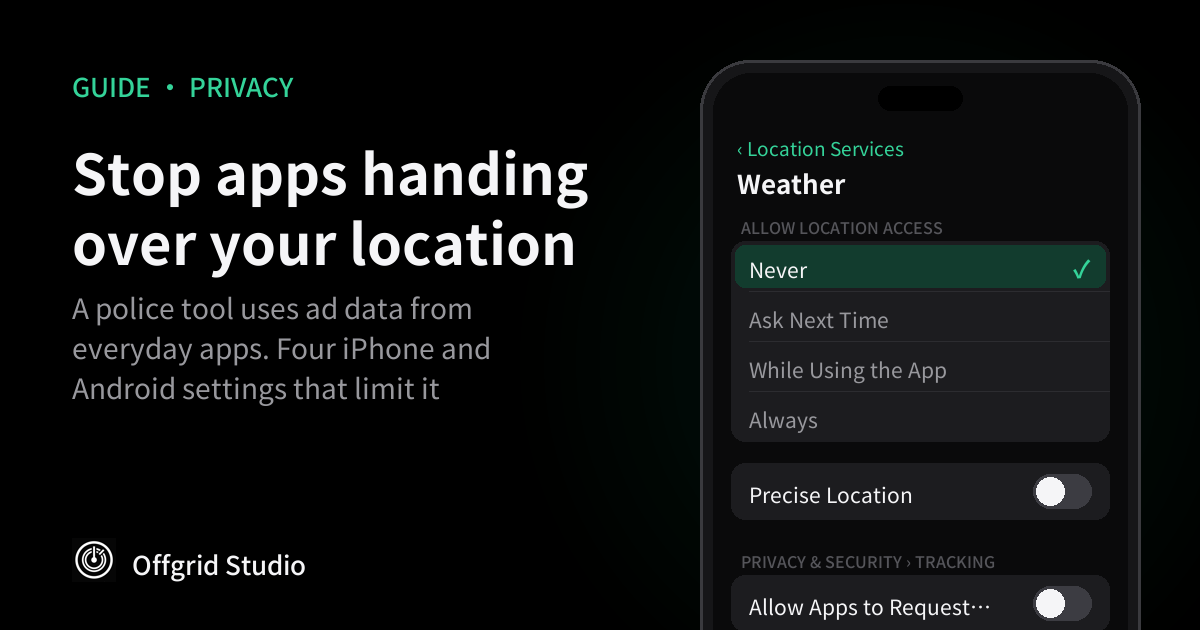
- Review which apps have your location. Go to Settings, Privacy & Security, Location Services, and tap each app. Set games, email and anything that doesn't need to know where you are to Never. For maps and ride apps, use While Using the App rather than Always. Ask Next Time makes the app ask again each time.
- Turn off Precise Location where it isn't needed. On the same per-app screen, turn off Precise Location. Apple says the app then gets only your approximate location. A weather or news app works fine with that, and an approximate location is far less useful for showing which building you were in.
- Check System Services. Go to Settings, Privacy & Security, Location Services, System Services. Apple lists location-based ads among the services here; turn that off. Separately, Settings, Privacy & Security, Apple Advertising, Personalized Ads controls ads Apple itself shows in the App Store, News and Stocks. It doesn't affect other companies' apps, but there's no reason to leave it on.
Android: delete the advertising ID first
Citizen Lab calls the Android advertising ID "key to any tracking and profiling". Unlike iPhone, it's on by default and there's no per-app prompt, so this step matters most.
- Delete your advertising ID. On most phones go to Settings, Privacy, Ads, then tap Delete advertising ID. Google says apps then get a string of zeros instead. On older versions the option is Opt out of Ads Personalization. Samsung and other brands sometimes put it under a different menu; search Settings for "advertising ID".
- Review app location permissions. Go to Settings, Location, App location permissions. Move apps that don't need location to Not allowed, and change Allowed all the time to Allowed only while in use (Google's guide).
- Turn off Use precise location. On Android 12 and later, tap an app in that list and turn off Use precise location. Google says the app can then only tell you're somewhere in an area of about 3 square kilometres.
The weather app problem
Weather apps are a good place to start because they ask for location for an obvious reason, often run ads, and are opened every day. Three options, from easiest:
- Use the weather app that came with your phone instead of a free ad-supported one.
- If you keep a third-party app, set its location to Never and add your city by hand.
- Or keep While Using with Precise Location off. The forecast is the same for your whole area.
The same logic applies to free games, flashlight and scanner apps, and anything else with ads that asks for location it doesn't obviously need.
What these settings don't stop
Be realistic about this. Citizen Lab says these steps "minimize but not reliably prevent" apps sharing data with other companies. Specifically:
- Your IP address. It can show roughly which city you're in, and Citizen Lab cites a 2025 Penlink document suggesting Webloc can now infer location from IP addresses. None of the settings above hide it. A VPN or iCloud Private Relay (for Safari) hides it from the sites and services you connect to.
- Other identifiers. Google notes apps may use their own IDs after you delete the advertising ID. On iPhone, that's against Apple's rules if you asked not to be tracked, but rules aren't the same as a technical block.
- Data already collected. Changing settings now doesn't delete history a broker already holds.
- Your carrier. Phone networks know which cell towers you connect to. In the US, police need a warrant for those records; that's a different system from ad data.
Why it matters even if you've done nothing wrong
A "draw a box on the map" search doesn't pick out a suspect. It returns everyone who was there: people at a protest, a clinic, a place of worship, or simply living next door. Bloomberg reports Penlink's own training materials showed the tool used on protesters. Whether you think that's acceptable or not, you probably never agreed to it when you installed a weather app.
It's also why we build our own apps with no ad code and no analytics SDKs: if an app never collects your location, it can't end up in anyone's database. Our earlier audit of 5,000 apps found how common third-party data sharing is, and our guide to checking what an iPhone app sends shows how to see it for yourself.
Frequently asked questions
What is Webloc?
A location surveillance tool built by Cobwebs Technologies and now sold by Penlink. It uses location data from mobile apps and advertising to show which devices were at a place and time, and where they went. Citizen Lab says it covered up to 500 million devices.
Which apps send location data to Webloc?
Nobody has published a full list. Bloomberg named weather, gaming, email and religious apps, including AccuWeather, Muslim Pro and Multi Maze 3D, whose developers said they had no relationship with Penlink. The data appears to come through ad companies whose code sits inside apps, not from the developers directly.
Does turning off "Allow Apps to Request to Track" stop location sharing?
It stops apps reading your advertising ID and forbids them from tracking you with other identifiers, which removes the easiest way to tie location records to your phone. It doesn't stop an app using location you've given it, so also set location to Never or turn off Precise Location for apps that don't need it.
Should I reset or delete my Android advertising ID?
Delete it if your phone offers that option. Resetting gives you a new ID that starts being collected again; deleting makes apps receive zeros instead. Older Android versions only offer "Opt out of Ads Personalization".
Do police need a warrant for this data?
In the US, the Supreme Court requires a warrant for location records from phone carriers, but the Justice Department argues data bought from commercial sources falls outside that. Bloomberg reports Webloc is used without judicial approval. Some states have started restricting it.
Will a VPN stop this?
A VPN hides your real IP address, which stops IP-based location guesses. It doesn't stop an app sending GPS location you've allowed it to use, so you still need the location settings.
More from Offgrid Studio
How to Remove Tracking From Links You Share
5,000 Apps, One Audit: What Your Phone Is Sharing
How to See What an iPhone App Sends (Free, No Jailbreak)